
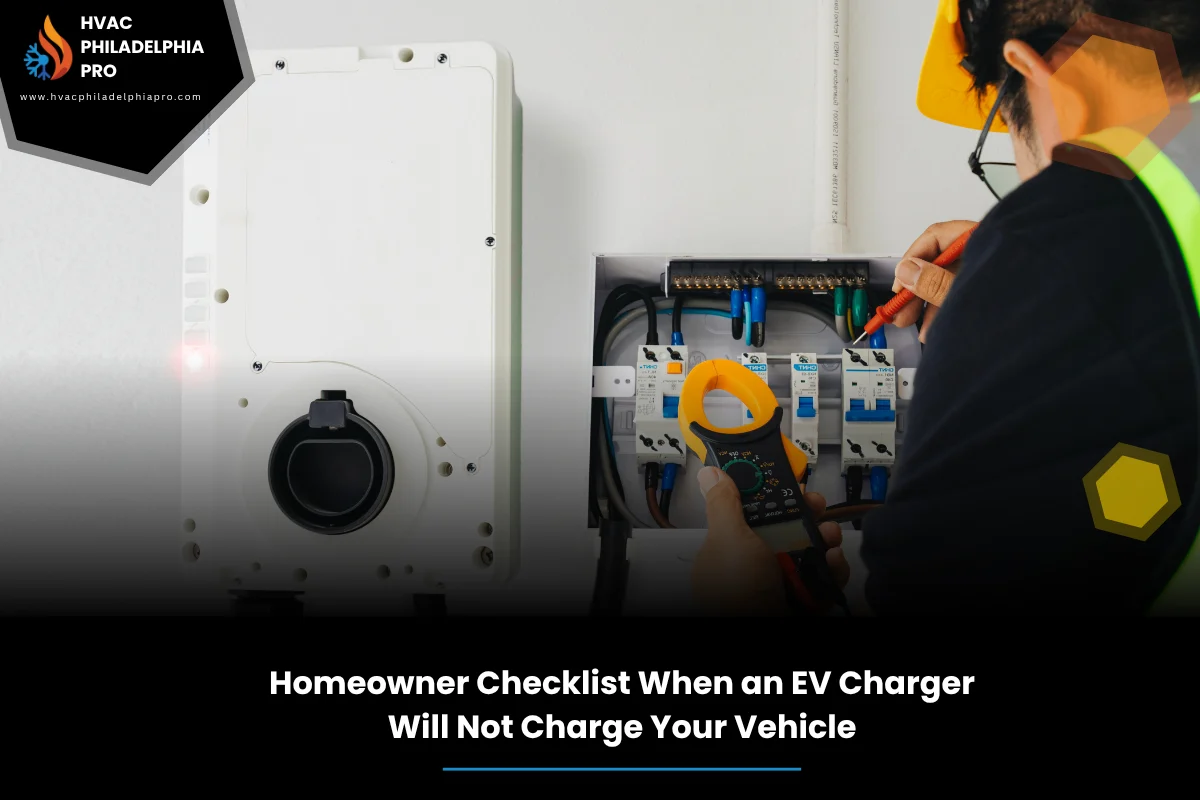
When your home station blinks, clicks, or just sits there and your EV charger won’t charge vehicle, it throws off your day. Take a breath. Most issues come from simple things you can check in minutes. This guide walks you through safe, clear steps before you book a visit. We’ll keep it plain and practical.
HVAC Philadelphia Pro helps homeowners every day with electrical and charger faults, but this article stays educational. If you reach a point where your EV charger won’t charge vehicle after trying these steps, you can decide what to do next with confidence.
We will focus on safety, power supply, charger hardware, vehicle settings, and smart network checks. We’ll also cover weather effects, your panel basics, and a simple framework you can follow each time. Where a visual helps, we’ll point it out. Ready? Let’s start.
Table of Contents
Quick Summary
Start with safety. Look for any signs of heat, burning smell, or damage. If you see that, stop. Next, confirm house power: main breaker on, circuit breaker on, and any GFCI outlet or breaker not tripped. If tripped, reset it once. Try a power cycle: unplug the charger or switch off the breaker for 60 seconds, then turn it back on.
Check the cable and connector for wear, bent pins, dirt, or ice. Verify the vehicle is set to accept a charge now and not delayed. For smart chargers, check Wi-Fi, app errors, and try a firmware update. If you still have trouble, note any fault lights or codes. That record will save time later.
Start with Safety and Power Basics
Begin with sight, sound, and smell. If you notice charring, a sharp odor, or a melted plug, stop and call a qualified electrician. If all looks normal, check the breaker feeding the charger. Many home units sit on a 240 V breaker; make sure it is on and not halfway tripped. Press the GFCI test and reset if your charger runs through a GFCI device.
For a deeper walkthrough on common repair scenarios and how pros isolate faults, see the Complete Guide to EV Charger Repair in Philadelphia PA for Homes and Businesses as background reading.
Do a clean power cycle: switch off the dedicated breaker for 60 seconds, then turn it back on. Some chargers also have a tiny reset button. Use it once. Watch the status lights during startup. A steady ready light is good; repeated red flashes point to a fault you can log.
Check the Charger Hardware
Wipe the connector tip and look for debris, corrosion, or bent pins. A soft, dry cloth works. Do not spray liquids into the handle or port. Make sure the connector latch clicks when you plug into the car. A weak click can mean a worn latch or misalignment that prevents charging.
Inspect the cable along its length. Flat spots under a car tire, tight twists, or crushed sections can cause hidden breaks. If your charger is plug-in style, check the outlet fit. A loose NEMA plug can overheat and drop power under load. If the charger is hardwired, put your hand near the case while it’s idle. Warm is okay; hot is not.
Finally, verify the indicator lights match the manual. A slow pulsing LED often shows standby. Rapid red blink often signals a ground fault or temperature warning. Note the exact pattern.
Verify Vehicle-side Settings
Open your car’s charging screen. Confirm charging is not delayed by a schedule. Many cars default to off-peak windows. Temporarily turn schedules off and set the car to charge now. Raise the charge limit to a normal value like 80 to 90 percent to avoid a cap set too low.
Check for a charge-port door fault or a stuck pin sensor. Gently reinsert the connector until you hear a solid latch. If your car app shows an error code, screenshot it. Try a basic vehicle reboot following the owner’s manual. If you have a portable Level 1 cord, test that as a baseline to see if the vehicle accepts any charge.
If the car charges on Level 1 but not your home Level 2, the issue leans toward the station or circuit, not the battery or onboard charger.
Networked and Smart Charger Checks
Many stations rely on Wi-Fi or cellular to manage load, schedules, and updates. If the app shows the unit offline, reconnect it to your network and retest. Remove any active charging schedule and energy limit in the app. Then trigger a manual start. Check for a pending firmware update and apply it. Updates often fix handshake bugs.
According to U.S. Department of Energy (2024), home charging systems coordinate with the vehicle to manage current and ensure safe operation; smart features add controls but depend on proper setup and updates. U.S. Department of Energy: Charging at Home
If your charger supports RFID cards, try a different card or set the unit to open access for testing. Also look for load sharing or power limit modes that may be capping current too low for your vehicle to start charging.
Home Electrical Panel Checks
Open the panel and confirm the charger breaker size matches the unit’s rating. A 40 A charger often sits on a 50 A breaker because charging is a continuous load. If the breaker trips during start, you may have a weak breaker, loose lugs, or an overload.
While the charger is idle, lightly tug each leg of the breaker with a nonconductive tool to ensure it’s fully seated. Do not touch bare conductors. Look for double-tapped wires or crowded spaces that could cause poor contact. If the panel is old, labeling might be wrong; verify which breaker feeds the charger by switching it off and watching the charger lights go dark.
If you see scorch marks or hear buzzing at the panel, stop and call a licensed electrician.
When Weather and Site Conditions Cause Problems
Cold snaps, heat waves, and moisture all affect charging. Ice in the port or on the handle can block a good latch. High heat can cause a station to derate current or shut down to protect itself. In hot weather, provide shade and avoid coiling the cable tightly. That helps reduce temperature derating.
Rain should not stop a healthy charger, but standing water at the base or a soaked outlet cover can trip protection. Let wet parts dry fully before retrying. In dusty spots, cap the connector when not in use. Keep a soft brush near the charger to clear the port.
If your garage outlet shares a circuit with freezers or tools, those loads can drop voltage at start and cause a fault. Move those loads to a different circuit where possible.
Common Symptoms vs Likely Causes
Use this quick comparison to narrow the problem before you call for help. Note any codes or light patterns along with what you see here. A short description plus a photo speeds diagnosis.
| Symptom | Likely cause | What to try first |
|---|---|---|
| Charger lights on, car says not charging | Handshake error, schedule delay, app limit | Disable schedules, app limits; reseat connector; try a pilot signal reset via power cycle |
| Breaker trips at start | Overload, weak breaker, loose lugs | Reduce other loads; one breaker reset only; call if repeat |
| No lights on charger | No power, tripped GFCI, failed power supply | Check main, branch breaker, GFCI; verify outlet voltage |
| Connector feels hot | Loose outlet, worn contacts, high resistance | Stop use; inspect outlet and connector; call a pro |
Step-by-Step Framework: FAST-FIX Checklist
Follow this simple flow every time something goes wrong. It keeps you from skipping easy wins and helps you log what matters. Think of it as your house charging routine that you can revisit as seasons change or after app updates.
F — Faults and safety: look, listen, smell; stop if you find damage. A — Amps and power: check breaker, GFCI, and do a clean reset. S — Settings: turn off charge schedules and limits. T — Test the power cycle and reseat connector. F — Firmware: reconnect Wi-Fi and update charger. I — Inspect cable, plug, and port for wear. X — eXternal loads: ease other appliances while starting a charge.
If you want a fuller diagnostic path beyond this homeowner flow, read the complete guide on this topic for how pros trace faults step by step before repairs.
When to Call a Pro and What to Expect
If the breaker trips again after one reset, if the connector or outlet gets hot, or if you see scorched marks, stop and book a diagnostic visit. If your charger stays dark with known good power, that also calls for professional testing with proper tools.
Expect a tech to check voltage, ground, and continuity, then isolate the problem to vehicle, station, or supply. They may test with a load, verify torque on lugs, and confirm settings. If you need EV charger troubleshooting in Philadelphia for older rowhome wiring or tight panels, explain your layout and available circuits up front.
Some faults need board-level work or a replacement unit. For warranty units, call the maker first. For out-of-warranty stations, a safe fix matters more than a quick patch. If you need home EV charger repair in Philadelphia, ask for a clear scope and a parts list before work starts.
FAQs
- Why does my charger light up but the car will not start charging?
Often a schedule, app limit, or weak connector latch blocks the handshake. Turn off schedules, raise limits, reseat the plug until it clicks, and try a power cycle. If that fails, check for updates in the charger app.
- Should I reset the breaker more than once?
No. One reset is fine to clear a nuisance trip. Repeated trips point to a real fault or overload. Stop and call a licensed electrician if it trips again.
- Can rain stop a charge?
A healthy outdoor-rated station can charge in rain. But standing water, a cracked cover, or wet plug can trip safety. Let it dry and keep connections covered when not in use.
- Will a bad cable prevent charging?
Yes. A crushed or internally broken cable can pass lights but fail under load. Check the full length for kinks or flat spots. If suspect, stop using it until inspected.
- How do I know if the problem is my car or the charger?
Test with a Level 1 cord or at a public station. If the car charges elsewhere, the issue leans toward your home station or circuit. If it fails everywhere, it may be vehicle-side.
- Do I need Wi-Fi for the charger to work?
Most units can charge without Wi-Fi, but smart features like schedules and updates depend on it. If offline, set open access and remove limits while you test.
- Is it safe if the connector gets warm?
Warm is normal during charging. Hot to the touch is not. Stop, let it cool, and have the outlet or connector inspected for wear or loose contact.
- Could my household appliances cause a charging fault?
Yes. Large loads starting at the same time can drop voltage. Try starting a charge when ovens, dryers, or compressors are off, then ramp usage back up.
Conclusion
Most charging issues boil down to power supply hiccups, a blocked latch, a schedule you forgot, or a tired cable. Work the checklist in order, log what happens, and you’ll either get back to normal or have clear notes for a pro. If your EV charger won’t charge vehicle after these steps, you likely face a fault that needs tools or parts.
This article focused on homeowner basics. For deeper repair paths, parts, and diagnostics, the complete guide to EV charger repair for homes and businesses offers broader context you can review first. When you need extra help, contact HVAC Philadelphia Pro for expert assistance. Clean power, clear steps, and safe habits will keep your charger steady through seasons and software updates.
continue reading
Related Posts
Breaker tripping with EV charging? Learn what to do when your EV charger circuit breaker keeps tripping. Follow safe checks, a simple framework, and real fixes that last.
Learn common issues and fixes for electric vehicle charger installation in Philadelphia. From panel limits to 240V circuits, grounding, and permits, get a clear, safe plan.
Learn how to tackle outdoor EV charger installation in tight Philadelphia spaces. Get tips on power limits, weatherproofing, routing, and permits, plus a simple framework.